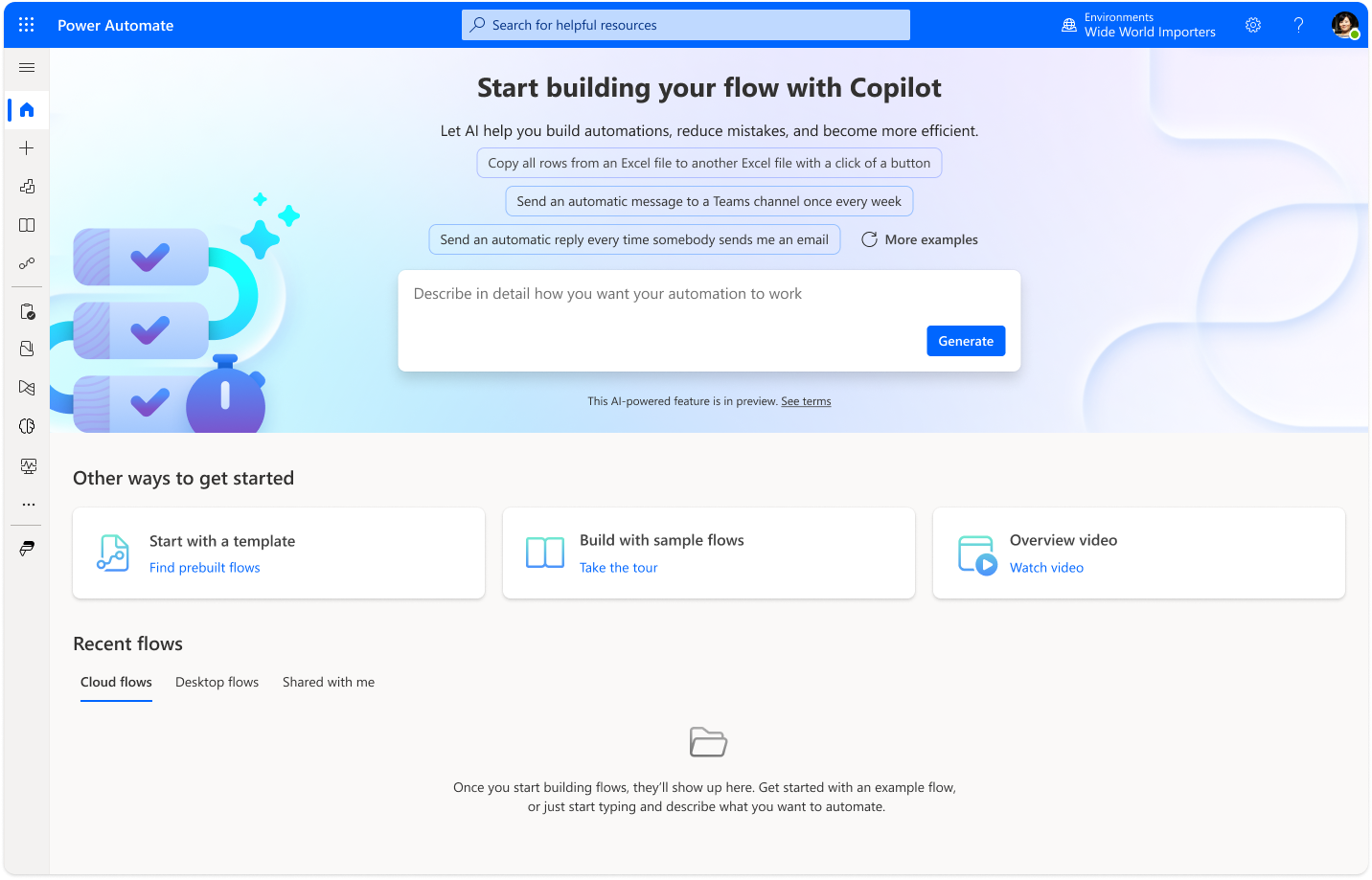
The first AI-powered natural language interface in Microsoft Power Platform, making workflow automation accessible to citizen developers.
Pioneering Natural Language Workflow Creation in Power Automate
Made automation accessible to citizen developers by introducing the first AI-powered natural language interface in Microsoft Power Platform.
Context & Challenge
Power Automate faced a fundamental adoption barrier: users struggled to get started creating automated workflows. Research revealed that multiple creation paths and automation types created confusion, leading to high drop-off rates—users would begin the creation process but rarely complete or launch their workflows.
The Challenge: The broader initiative required increasing adoption by simplifying workflow creation, particularly for citizen developers. While Power Automate had introduced AI capabilities for pro developers in task-specific scenarios, no solution existed to help non-technical users get started. The question became: could natural language lower the barrier to entry and accelerate time-to-value?
My Role
Design Manager | 5-month project
As Design Manager, I led the team through a five-month effort that reimagined the create experience while pioneering natural language input for Power Platform.
Strategic Leadership
- Provided strategic direction and team leadership throughout the effort
- Managed a cross-functional design team including a design lead, junior designers, UX researchers, and content designers
- Facilitated close collaboration with product management and the AI/ML model team
- Maintained focus on making workflow creation approachable when model limitations threatened timelines
Design Direction
- Directed the team through three critical design decisions to navigate model limitations
- Established continuous feedback loop between design and AI/ML model team
- Ensured alignment between design vision and technical capability
Approach & Strategic Decisions
Discovery & Concept Development
We began with a full redesign of the create experience to simplify the process, simultaneously exploring natural language as an input mechanism. Research validated user confusion around automation types and when to use specific workflows, confirming the need for a more intuitive approach.
Navigating Model Limitations
The biggest challenge emerged in the AI model’s ability to generate accurate workflows from user descriptions. I directed the team to focus on three critical design decisions:
- Prioritizing editability: We ensured AI-generated workflows could be refined, building user trust even when initial outputs required adjustment.
- Starting simple, scaling deliberately: Rather than attempting to solve all use cases immediately, we focused on top task-based workflows in close collaboration with the AI/ML team, identifying patterns that would generate reliably.
- Balancing approaches: We designed the experience to complement—not replace—traditional creation methods, acknowledging that for simple workflows, template-based creation might still be faster.
Iteration Through Testing
I established a continuous feedback loop between design and the AI/ML model team. The design team conducted constant UX testing, documenting failures and working directly with engineers to improve model performance. This partnership was essential in refining the natural language understanding and workflow generation.
The Creation Journey
The natural language workflow creation experience guides users from intent to deployed automation in five streamlined steps:
Step 1: Natural Language Input
Users describe their automation need in plain language, with Copilot providing example prompts to guide first-time users. This approachable entry point removes the intimidation of a blank canvas.
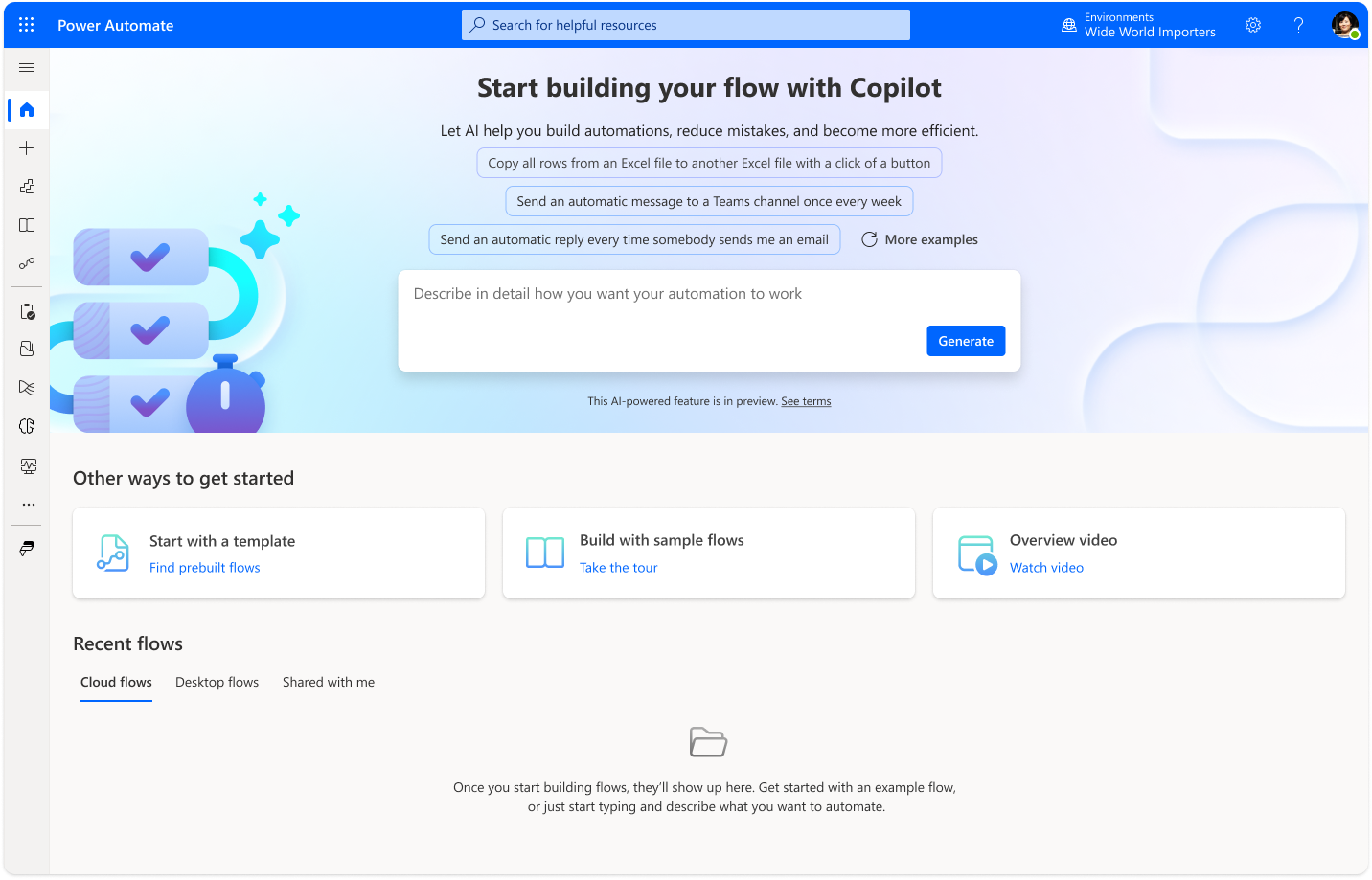
Natural language input with example prompts to guide first-time users.
Step 2: AI-Generated Workflow
Copilot interprets the description and generates a structured workflow with appropriate triggers and actions, exposing key parameters that users can review and understand.
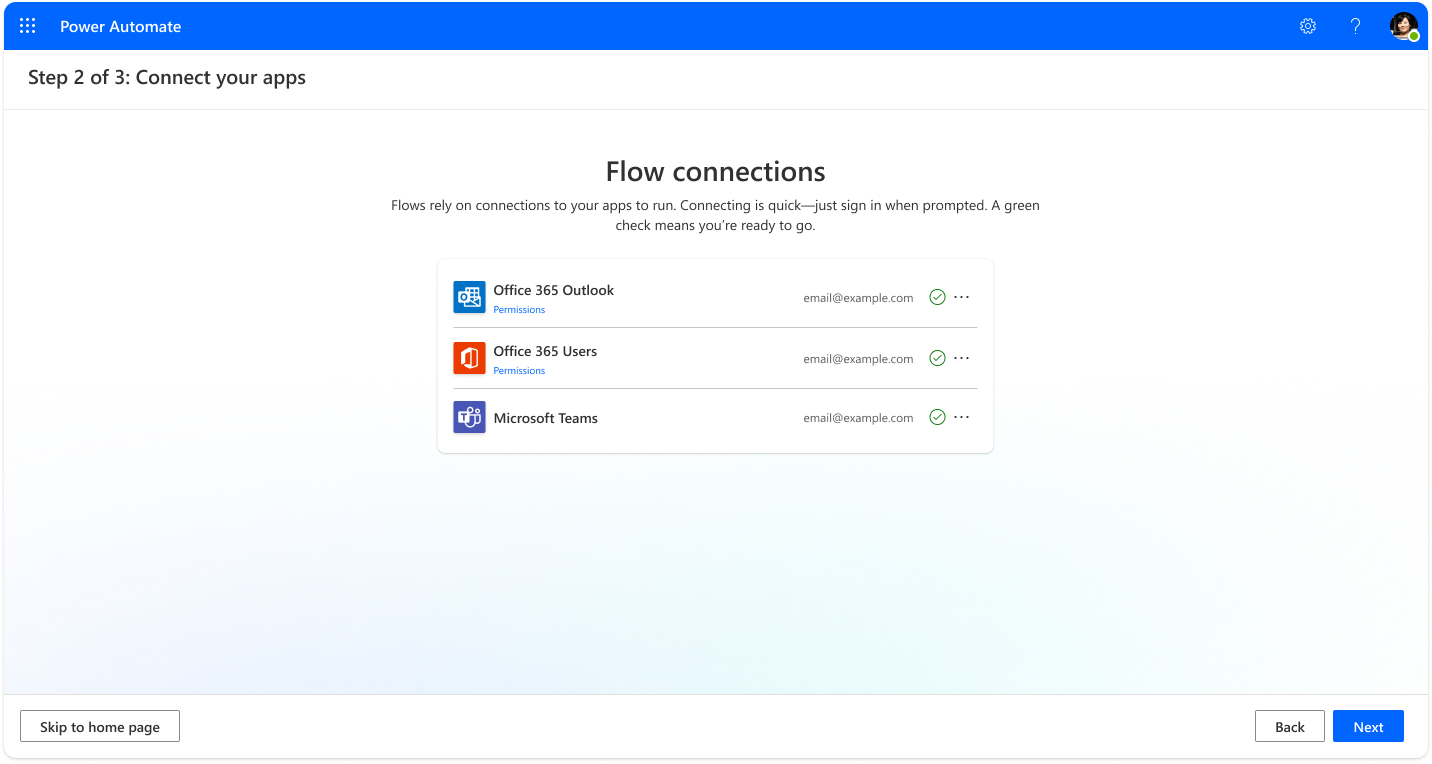
AI-generated workflow with structured triggers and actions.
Step 3: Connection Setup
Users connect the required apps and services through a simplified authentication flow, with clear indicators showing connection status and readiness.
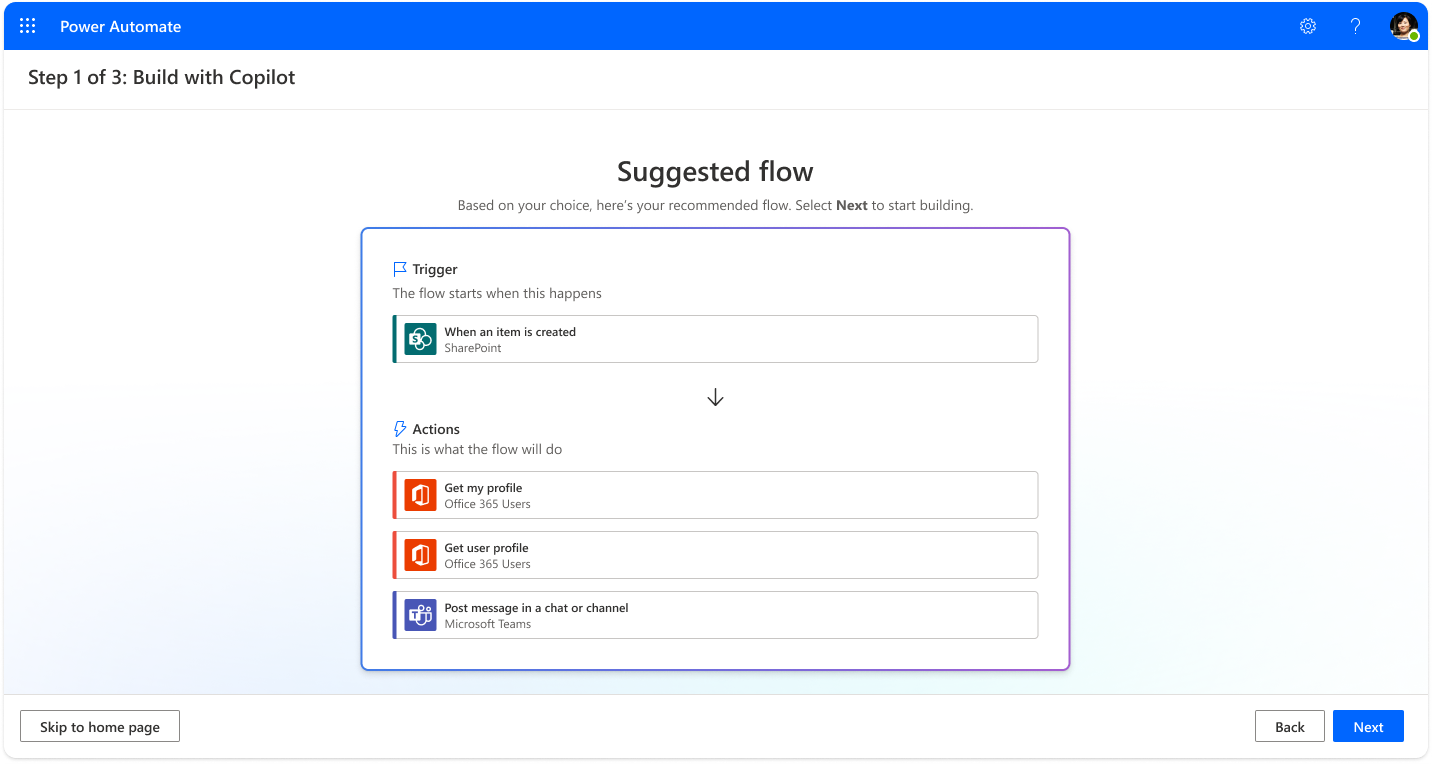
Simplified connection setup with clear status indicators.
Step 4: Designer Preview & Refinement
The full designer view enables users to customize and validate their workflow, editing parameters, adding conditions, or adjusting logic before deployment—ensuring the automation performs exactly as intended.
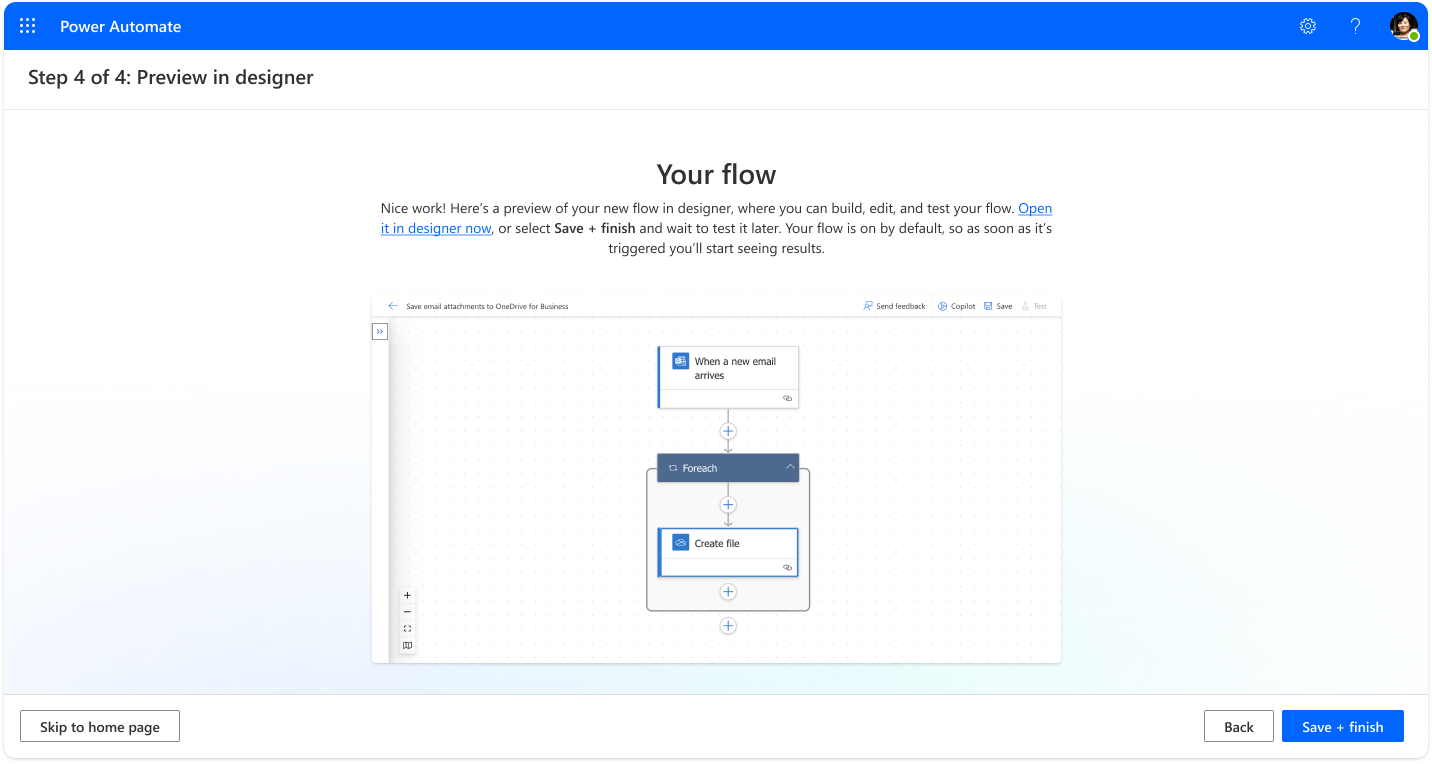
Full designer view for customization and validation before deployment.
Step 5: Success & Activation
Upon completion, users receive confirmation that their workflow is live and will run automatically when triggered, transforming automation creation into an achievable goal.
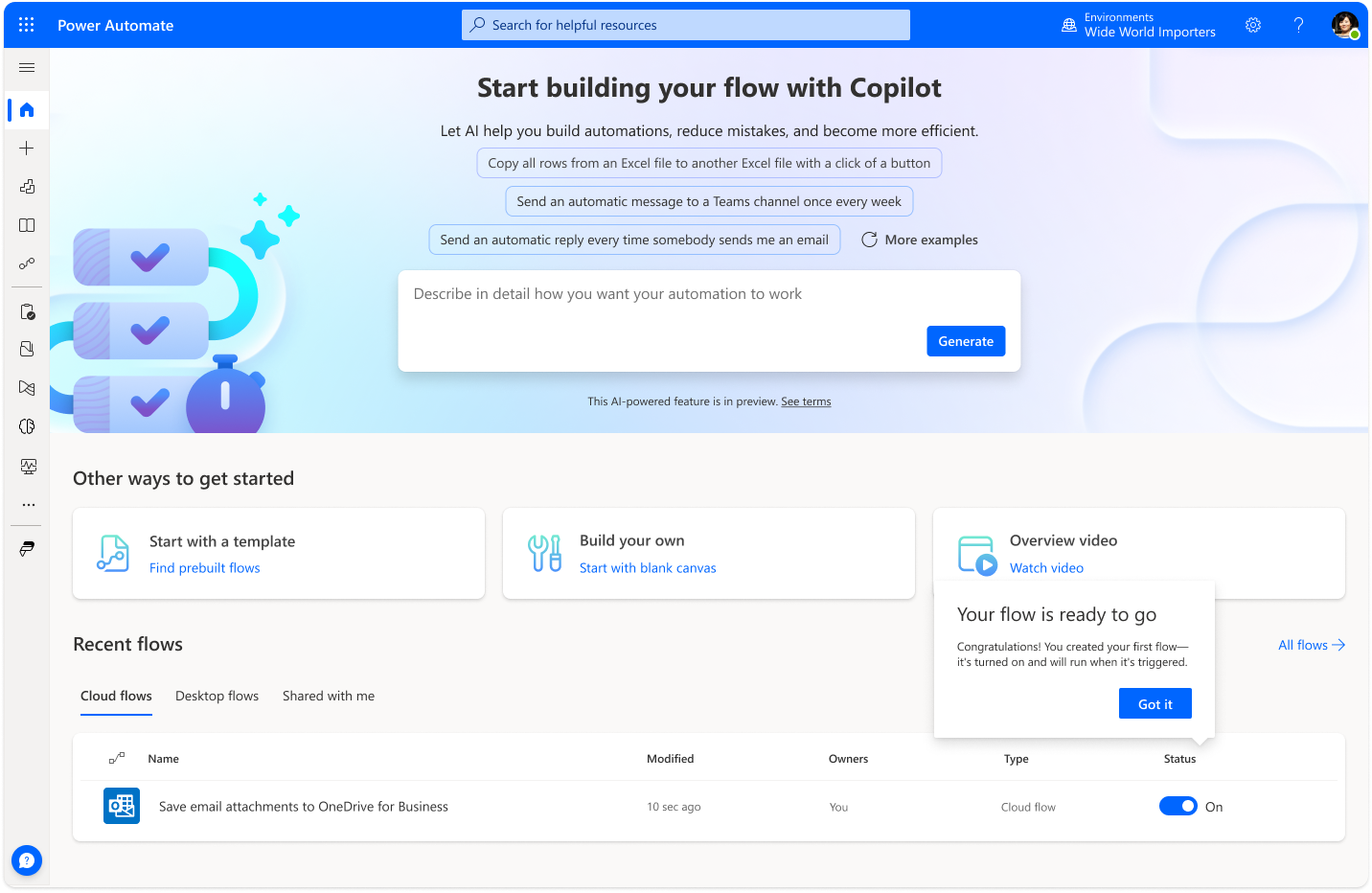
Success confirmation showing the workflow is live and ready.
Results & Impact
We launched the first natural language workflow creation interface in Microsoft Power Platform, opening new possibilities for citizen developers.
Before: Users struggled with multiple creation paths, confused by automation types, with high abandonment rates.
After: A more approachable entry point that made workflow automation accessible to non-technical users, even as the initial model capabilities remained limited.
While early results showed comparable time-to-completion versus template-based creation, the true impact was strategic: we proved that natural language could democratize automation creation. The initial private launch to select customers validated the approach, allowing us to expand availability as models improved.
Why It Matters
This project represented a breakthrough moment for Power Platform—the first time natural language was used to create workflow automations, and the first AI-powered creation experience for citizen developers in any Power Platform product.
Beyond the feature itself, this work established the foundation for AI capabilities across the platform, demonstrating how design could successfully navigate the constraints of emerging AI technology to deliver meaningful user value.
I’m most proud of the team’s tenacity in overcoming significant technical obstacles. Their persistence in testing, iterating, and partnering with AI/ML engineers to improve model performance exemplifies the kind of design leadership needed to pioneer new capabilities in rapidly evolving technology spaces.
Key Takeaway
Sometimes the biggest impact comes not from perfection, but from proving what’s possible.
This project didn’t deliver flawless AI from day one. But by focusing on editability, starting simple, and maintaining close collaboration between design and engineering, we created a foundation that opened new possibilities for millions of citizen developers across Microsoft Power Platform.
Project Credits
Team: Design Lead, Junior Designers, UX Researchers, Content Designers, AI/ML Engineers
Duration: 5 months
My Role: Design Manager (Strategic Leadership, Team Management, Cross-Functional Collaboration)
Deliverables: First natural language workflow creation interface in Microsoft Power Platform, AI-powered creation experience for citizen developers, foundation for platform-wide AI capabilities